How Often Should You Replace Your Phone Cover? 10 Signs It's Time for a New One
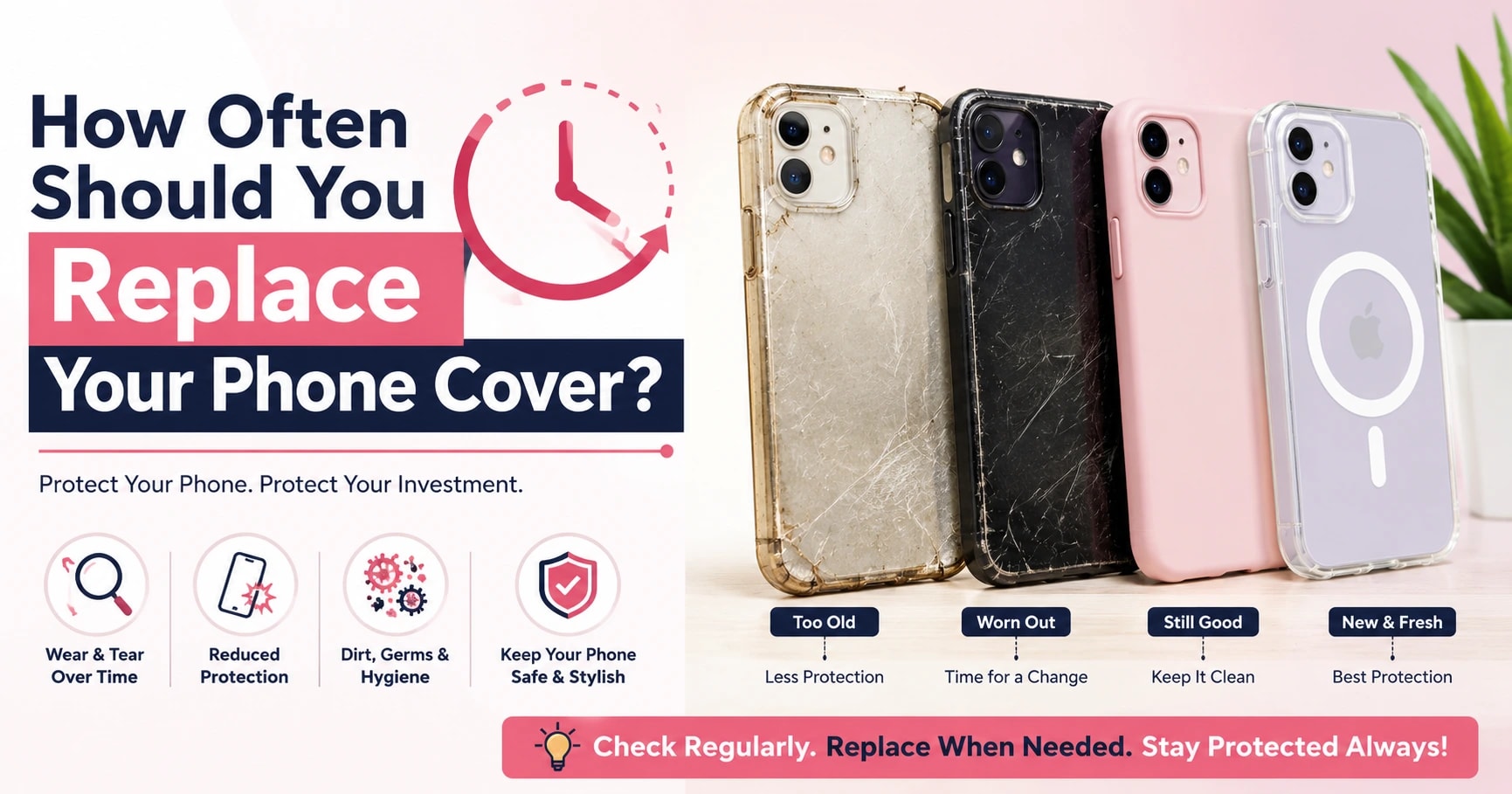
Most people don't think twice about spending forty or fifty thousand rupees on a new phone, yet they'll happily keep using the same cracked, yellowed phone cover for two or three years without a second thought. It's an odd habit when you think about it, since that cover is the one thing standing between your expensive phone and daily wear and tear.
Phone covers don't last forever. They pick up scratches from your bag, get squeezed into tight jeans pockets, sit through hot afternoons on a two-wheeler seat, and slowly lose their shape and grip over time. At some point, a cover stops doing its job properly, even if it still looks okay from a distance.
This guide will walk you through how long phone covers usually last, the clear signs that tell you it's time for a replacement, simple ways to make your current cover last longer, and what to look for when you're ready to buy a new one. By the end, you'll know exactly when to replace your cover instead of just guessing, and what to check for so your next one lasts a little longer too.
Why Replacing Your Phone Cover Matters
A phone cover isn't just there to look nice. It absorbs daily bumps, protects against scratches from keys and coins in your bag, and gives your phone a layer of cushioning during small accidental drops.
Every day, your cover deals with dust, sweat, friction from pockets, and sometimes heat from sitting in a car or under direct sunlight. Over months and years, this constant wear slowly changes how the material behaves. It might stretch, harden, or lose its grip, which means it's no longer protecting your phone the way it did on day one.
How Long Does a Phone Cover Usually Last?
There's no single fixed answer here, since a cover's lifespan depends on the material, how often you use your phone, your environment, and how well you take care of it.
Material
Silicone covers are soft and grippy but tend to wear out faster than harder materials. TPU is a bit more durable and flexible, while hard plastic cases resist scratches well but can crack under pressure. Hybrid cases, which combine materials, often last the longest.
Daily Usage
If you're constantly picking up your phone for calls, messages, or photos, your cover naturally experiences more handling and friction. Someone who barely touches their phone outside of a few calls a day will likely see their cover last longer.
Environment
Heat, direct sunlight, dust, and humidity all affect how quickly a cover ages. A cover that spends a lot of time in a hot car or bag exposed to sunlight will wear out faster than one kept in more moderate conditions.
Care and Maintenance
Simple habits, like cleaning your cover regularly and avoiding harsh chemicals, help slow down general wear. Covers that are rarely cleaned tend to look worn out sooner, even if the material itself is still intact.
|
Cover Material |
Average Lifespan |
|
Silicone |
1–2 years |
|
TPU |
1.5–3 years |
|
Hard Plastic |
1–2 years |
|
Hybrid Cases |
2–3 years |
These numbers are approximate estimates, and your actual experience may vary based on usage and care.
10 Signs It's Time to Replace Your Phone Cover
1. The Cover Has Cracks or Broken Corners
Corners take the brunt of most drops, so cracks here are one of the clearest signs your cover isn't offering the protection it once did.
2. The Cover Feels Loose
A cover that shifts around or doesn't sit snugly against your phone can expose the edges and camera during a fall, defeating its main purpose.
3. It Has Turned Yellow or Looks Worn Out
Some materials, especially clear silicone and TPU, naturally discolour with sunlight exposure and age. This is a material reaction rather than a fault, but it's still a sign the cover has had a long run.
4. The Buttons No Longer Work Properly
If you have to press harder than usual to use the volume or power buttons, the cover's button covers may have worn thin or lost their responsiveness.
5. Camera Protection Is Wearing Away
Raised edges around the camera are designed to keep it slightly lifted off flat surfaces. Once these edges flatten out from repeated use, your camera lens sits closer to tables and surfaces than it should.
6. The Surface Has Become Slippery
A cover that once had good grip can lose its texture over time, especially with regular handling. If your phone feels harder to hold securely, that's a sign the material has worn down.
7. Deep Scratches or Cuts
Light surface scratches are normal, but deep cuts or gouges suggest the material has weakened structurally, not just cosmetically.
8. The Cover Has Changed Shape
Heat exposure, whether from sunlight or a warm pocket, can cause some materials to warp or stretch slightly. Once this happens, the cover often no longer fits as snugly as before.
9. Charging Port or Camera Cut-outs No Longer Align
If plugging in your charger has become fiddly, or the camera cut-out doesn't quite match up anymore, the cover has likely shifted out of shape.
10. Your Lifestyle Has Changed
Sometimes a cover doesn't need to be damaged to need replacing. Starting college, switching to a new office job, travelling more, creating content, or joining the gym can all change what you actually need from a cover day to day.
Can You Continue Using a Damaged Phone Cover?
Small, light scratches usually aren't a big deal and don't affect how well your cover protects your phone. Most covers pick up a few marks over time, and that's completely normal.
However, if your cover is cracked, loose, warped, broken, stretched, or missing button covers, it's probably not performing as intended anymore. At that point, it's worth thinking about a replacement rather than waiting for the damage to get worse.
How to Make Your Phone Cover Last Longer
Clean It Regularly
A soft, slightly damp cloth works well for most materials and helps prevent dust build-up.
Avoid Harsh Chemicals
Strong cleaning sprays or alcohol-based wipes can weaken certain materials and speed up ageing.
Keep It Away from Excessive Heat
Try not to leave your phone in direct sunlight or on a hot dashboard for long periods.
Remove Dust Frequently
Dust along the edges and ports can build up unnoticed, so a quick wipe now and then helps.
Don't Stretch It Unnecessarily
Repeatedly forcing a cover on and off, especially a tight-fitting one, can weaken it over time.
Replace It Before It Stops Fitting Properly
Waiting until a cover is completely broken often means you've already lost some protection along the way.
How to Choose Your Next Phone Cover
Choose the Correct Phone Model
A cover made for a different model rarely aligns properly with your camera, buttons, or ports, so always check compatibility first.
Decide How Much Protection You Need
If you tend to be careful with your phone, a slim cover might suit you. If you're more likely to drop it occasionally, consider one with more coverage around the edges.
Think About Comfort and Grip
A cover you'll be holding all day should feel comfortable in your hand, not just look good in photos.
Pick a Style You Enjoy
Whether you prefer minimal, cute, printed, luxury, designer, bold, or funky designs, choose something that actually feels like you. Many people enjoy switching covers based on their mood, outfit, travel plans, work, or an upcoming festival, and there's nothing wrong with owning more than one.
Check Product Descriptions Carefully
Details about material, fit, and finish in the description usually tell you more than photos alone, so it's worth reading before you buy.
Where Can You Buy Quality Phone Covers Online in India?
When you're ready to replace your cover, look for model-specific fit, clear product descriptions, and good product images that actually show the material and finish. Lumina Kartt is one option that offers exactly this, with separate collections for models like the iPhone 15 Pro, iPhone 15 Pro Max, iPhone 16 Pro, iPhone 16 Pro Max, and the newer iPhone 17 Pro and iPhone 17 Pro Max.
Beyond just style, it's worth checking that a cover offers practical protection features like raised camera edges and side coverage, rather than choosing based on looks alone. Comparing a few options based on your own daily routine usually leads to a better long-term choice than picking the first one that catches your eye.
Frequently Asked Questions
How often should I replace my phone cover?
There's no fixed timeline, but most people naturally replace their cover every one to three years, depending on material and usage. If you notice cracks, looseness, or reduced grip before that, it's worth replacing it sooner rather than waiting.
How long does a phone cover usually last?
On average, silicone and hard plastic covers last one to two years, while TPU and hybrid cases can last up to three years. Actual lifespan depends on how often you use your phone and how well you maintain the cover.
Can I continue using a cracked phone cover?
Small cracks in the corners reduce the protection your cover offers during drops, since that's usually where impact is absorbed. It's generally better to replace a cracked cover rather than continue relying on it for daily protection.
Why has my phone cover turned yellow?
Yellowing is a natural reaction in some silicone and TPU materials, usually caused by exposure to sunlight and oxidation over time. It doesn't necessarily mean the cover has stopped working, but it does suggest it's had a long run.
Does an old phone cover still protect my phone?
An older cover can still offer some protection, but worn edges, reduced grip, and material fatigue mean it likely won't perform as well as it did originally. If it shows clear signs of wear, its protective ability has probably decreased.
Which phone cover material lasts the longest?
Hybrid cases, which combine materials like TPU and hard plastic, tend to last the longest, often two to three years with regular use. Pure silicone covers usually wear out a little faster in comparison.
How can I clean my phone cover safely?
A soft, slightly damp cloth is usually enough for regular cleaning. Avoid harsh chemicals or alcohol-based cleaners, especially on printed or coloured covers, since they can affect the finish over time.
Should I replace my phone cover if it becomes loose?
Yes, a loose cover can shift during handling and expose your phone's edges or camera during a fall. Once a cover no longer sits snugly, it's a good sign that a replacement is due.
Can using a damaged phone cover affect camera protection?
Yes, raised edges around the camera are meant to keep the lens lifted slightly off flat surfaces. Once these edges wear down or crack, your camera becomes more exposed to scratches from everyday surfaces.
Where can I buy quality phone covers online in India?
You can browse and buy iPhone covers online at Lumina Kartt, which offers model-specific collections and a range of styles from minimal to bold. Comparing options based on your daily routine usually helps you choose the right one faster.
Final Thoughts
Replacing a worn-out phone cover isn't just about keeping things looking fresh. It's about maintaining a comfortable grip, a proper fit, and the kind of everyday protection your phone actually needs, which can quietly fade away long before a cover looks obviously damaged.
If your current cover has cracks, feels loose, or has lost its grip, it's probably done its job and earned a replacement. Take a moment to check your cover against the ten signs in this guide, and you'll have a clear answer either way.
When you're ready for a new one, Lumina Kartt's collection of iPhone covers is there to explore, with plenty of styles to match your daily routine.
Explore Premium Phone Covers
Aesthetic designs, MagSafe compatible, shockproof protection crafted for you.